
Godot Ongoing 2D Game3DCGAdventureAnal SexAnimatedBDSMBig AssBig TitsBlackmailBukkakeCheatingCombatCorruptionCreampieExhibitionismGropingHaremInterracialLactationMILFMale ProtagonistManagementMasturbationMobile GameMultiple penetrationOral SexPregnancyProstitutionRPGRapeSandboxSide-ScrollerTeasingTurn Based CombatUrinationVaginal SexVoyeurism AndroidLinuxMacWindows
Genres
2D Game 3DCG Adventure Anal Sex Animated BDSM Big Ass Big Tits Blackmail Bukkake Cheating Combat Corruption Creampie Exhibitionism Groping Harem Interracial Lactation MILF Male Protagonist Management Masturbation Mobile Game Multiple penetration Oral Sex Pregnancy Prostitution RPG Rape Sandbox Side-Scroller Teasing Turn Based Combat Urination Vaginal Sex Voyeurism
Game Description
MMA Life Simulator is an open-world 2D side-scroller where you rise through the ranks as an MMA fighter while exploring a vibrant city filled with unique NPCs, each with their own stories, stats, and desires. Whether you focus on intense training, building relationships, or making money through unique ventures like milking and selling Anna’s milk, your choices shape your journey. With every update, new features and deeper NPC backstories are added, letting you uncover hidden secrets and forge your own path—be it glory in the ring or pleasure in the streets.
If you have black screen or random bugs please delete old saves/settings of game
NTR is Optional and Easily avoidable
Extract and run.
download game data file and your executable file for windows 32/64 or Linux
download apk for android.
download game data file and your executable file for windows 32/64 or Linux
download apk for android.
No patch notes available.
- Dual Core Pentium or equivalent Processor.
- Intel HD 2000 or equivalent Graphics.
- 8.17 GB of free disk space (Recommended to have twice as much free disk space).
MMA Life Simulator - Ongoing - v.1.2.2 Download Links
MMA Life Simulator is a porn game made on Godot game engine.
The current available version is v.1.2.2.
The contents of the game are Uncensored. MMA Life Simulator is developed by BNS7.
Please support the developer if you want continued development.
Download links are gathered from public sources. We do not host or modify contents.
Walkthrough and Guide
Video Enhancement Mod: FILEKNOT
Video Enhancement Mod Installation:
Unpack "MMALife.pck" to the game directory, next to the .exe file overwriting existing file.
Enjoy
Video Enhancement Mod Features:
- All animations have been interpolated to a frame rate of 60 fps using deep learning processes
- All animations have been upscaled to 1920x1080 px (1080p)
Stats Cheat:
How to Increase your stats.
Go to "C:\Users\(user name)\AppData\Roaming\Godot\app_userdata\MMASim\Saves"
Choose your save in my case is "C:\Users\(user name)\AppData\Roaming\Godot\app_userdata\MMASim\Saves\1\Stats"
go to the file "hero.tres" I used Atom to change the stats, and then save, started the game and that was it.
https://imgur.com/a/EJLQCRP
You can also change character stats like Nisha's Self Respect you just need to go to.
"C:\Users\(user name)\AppData\Roaming\Godot\app_userdata\MMASim\Saves\1\Chars", "Nisha.tres" file and then change the values and save.
Cheat Table: FILEKNOT
How do I get a copy of Cheat Engine:
There are several ways to download the tool:
NB: Cheat Engine is available on Windows and MacOS only.
NB: Make sure you have the LATEST or at least a penultimate version of CE when using others' cheat tables to avoid incompatibility issues
How does Cheat Engine work:
It's basically a debugging tool on steroids. There's a lot to unpack on how it works, but my scripts rely on AOB signatures (be they hardcoded ASM cheats, pointers with offsets, etc) and LUA scripting. The challenge is to create consistent and resilient cheats working between versions, but there's nothing permanent with compilers and optimizations.
AOB signatures work like this: a byte signature is scanned to find the first match in the .text (code) section, then CE gracefully injects a detour jump to the allocated cheat script (or in a code cave) that tweaks the game behavior and then returns to the next instruction after the injection. Sometimes AOB-based cheat scripts modify a function's behavior in-place.
Lua scripts that are running in the CE's lua engine are basically meta-scripts to extend CE's functionality with a neat API.
Where do I put a cheat table / .CT file:
Wherever you deem suitable, usually tables are standalone .CT files and making dependencies for them isn't a good practice. When you run a cheat table, it's loaded into and interpreted by Cheat Engine.
How to use Cheat Engine:
First of all, make sure your Cheat Engine instance is running with administrator rights to make sure it is able to read, write to memory properly. To do that, you can grant administrator rights by clicking RMB on Cheat Engine shortcut (to open its context menu), then go to Properties -> Compatibility (tab) and tick 'Run this program as an administrator'. Likewise, you can go to CE settings (when in the CE GUI, Edit->Settings) you can also find 'Always attempt to launch as admin' option. Or if you need it once, just run CE as an administrator (RMB on the CE shortcut, 'Run as an administrator'
For cases when tables DON'T have an attach script in them:
When Cheat Engine is opened and/if a cheat table for a specific game is loaded into it, the first thing that's needed is to attach to the specific game executable.
Attach button is highlighted:
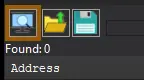
After pressing this button, you will see active processes with their PIDs exposed by Windows. If you struggle to find yours, check other tabs, there are 3 of them: Application, Processes, Windows.
For cases when tables DO have an attach script in them:
You'll see a script like *this*, just activate the checkbox. Does it fail to attach? Please read 'Why does the attach script fails when I activate it?' below
Attach script:

Once you are attached, activate other scripts that you need and have fun. Usually scripts are quite simple to use, but if there are instructions, just follow them to make it work. Sometimes certain actions are required for scripts to work properly, .e.g pressing a button to catch a pointer, loading into the game/level world to ensure a character actor is constructed, etc.
Sometimes scripts will fail to be executed. Usually the error will be written in the context menu of a script that's failed (just click RMB on the failed script, the first row will be the error message). Some scripts may print errors/tracebacks into the CE Lua Engine output window: either way, when you report an error, provide the reason WHY it fails.
Error Example: AOB not found:

If a script activates, but the intended behavior is not achieved (you'd be lucky if it doesn't crash though), most probably there was a game update that touched offsets (provided the table was based on any, which is probably the case) - a new field added, hence game compiled differently, a different game engine version used, or whatever that caused the shift. That means the table has to be updated - it's obvious if the game was updated recently, but the table was posted long before.
ALSO: go to 'OK, I'm attached to the game correctly, but next scripts fail to run OR crash the game. What's wrong?'
Video Enhancement Mod Installation:
Unpack "MMALife.pck" to the game directory, next to the .exe file overwriting existing file.
Enjoy
Video Enhancement Mod Features:
- All animations have been interpolated to a frame rate of 60 fps using deep learning processes
- All animations have been upscaled to 1920x1080 px (1080p)
Stats Cheat:
How to Increase your stats.
Go to "C:\Users\(user name)\AppData\Roaming\Godot\app_userdata\MMASim\Saves"
Choose your save in my case is "C:\Users\(user name)\AppData\Roaming\Godot\app_userdata\MMASim\Saves\1\Stats"
go to the file "hero.tres" I used Atom to change the stats, and then save, started the game and that was it.
https://imgur.com/a/EJLQCRP
You can also change character stats like Nisha's Self Respect you just need to go to.
"C:\Users\(user name)\AppData\Roaming\Godot\app_userdata\MMASim\Saves\1\Chars", "Nisha.tres" file and then change the values and save.
Cheat Table: FILEKNOT
How do I get a copy of Cheat Engine:
There are several ways to download the tool:
- Official Cheat Engine website - a free, compiled executable. While installing, make sure you decline all adware
- Dark Byte's Patreon - $2.5/mo membership to get the latest releases and hotfixes already compiled
- Cheat Engine Github - if you want to compile it or CE github releases
NB: Cheat Engine is available on Windows and MacOS only.
NB: Make sure you have the LATEST or at least a penultimate version of CE when using others' cheat tables to avoid incompatibility issues
How does Cheat Engine work:
It's basically a debugging tool on steroids. There's a lot to unpack on how it works, but my scripts rely on AOB signatures (be they hardcoded ASM cheats, pointers with offsets, etc) and LUA scripting. The challenge is to create consistent and resilient cheats working between versions, but there's nothing permanent with compilers and optimizations.
AOB signatures work like this: a byte signature is scanned to find the first match in the .text (code) section, then CE gracefully injects a detour jump to the allocated cheat script (or in a code cave) that tweaks the game behavior and then returns to the next instruction after the injection. Sometimes AOB-based cheat scripts modify a function's behavior in-place.
Lua scripts that are running in the CE's lua engine are basically meta-scripts to extend CE's functionality with a neat API.
Where do I put a cheat table / .CT file:
Wherever you deem suitable, usually tables are standalone .CT files and making dependencies for them isn't a good practice. When you run a cheat table, it's loaded into and interpreted by Cheat Engine.
How to use Cheat Engine:
First of all, make sure your Cheat Engine instance is running with administrator rights to make sure it is able to read, write to memory properly. To do that, you can grant administrator rights by clicking RMB on Cheat Engine shortcut (to open its context menu), then go to Properties -> Compatibility (tab) and tick 'Run this program as an administrator'. Likewise, you can go to CE settings (when in the CE GUI, Edit->Settings) you can also find 'Always attempt to launch as admin' option. Or if you need it once, just run CE as an administrator (RMB on the CE shortcut, 'Run as an administrator'
For cases when tables DON'T have an attach script in them:
When Cheat Engine is opened and/if a cheat table for a specific game is loaded into it, the first thing that's needed is to attach to the specific game executable.
Attach button is highlighted:
After pressing this button, you will see active processes with their PIDs exposed by Windows. If you struggle to find yours, check other tabs, there are 3 of them: Application, Processes, Windows.
For cases when tables DO have an attach script in them:
You'll see a script like *this*, just activate the checkbox. Does it fail to attach? Please read 'Why does the attach script fails when I activate it?' below
Attach script:
Once you are attached, activate other scripts that you need and have fun. Usually scripts are quite simple to use, but if there are instructions, just follow them to make it work. Sometimes certain actions are required for scripts to work properly, .e.g pressing a button to catch a pointer, loading into the game/level world to ensure a character actor is constructed, etc.
Sometimes scripts will fail to be executed. Usually the error will be written in the context menu of a script that's failed (just click RMB on the failed script, the first row will be the error message). Some scripts may print errors/tracebacks into the CE Lua Engine output window: either way, when you report an error, provide the reason WHY it fails.
Error Example: AOB not found:
If a script activates, but the intended behavior is not achieved (you'd be lucky if it doesn't crash though), most probably there was a game update that touched offsets (provided the table was based on any, which is probably the case) - a new field added, hence game compiled differently, a different game engine version used, or whatever that caused the shift. That means the table has to be updated - it's obvious if the game was updated recently, but the table was posted long before.
ALSO: go to 'OK, I'm attached to the game correctly, but next scripts fail to run OR crash the game. What's wrong?'