
Others Ongoing 2DCGAi CGCheatingCorruptionDating SimGropingHandjobMale ProtagonistManagementNetorareOral SexRPGRomanceSandboxVoyeurism LinuxWindows
Millhaven
Ongoing v.0.6.3
- Developer
- Suckulent Games
- Release Date
- 24 July, 2026
- Engine
- Others
- Censorship
- Uncensored
- Size
- 3.08 GB
- Version
- 0.6.3
Screenshots
Genres
Game Description
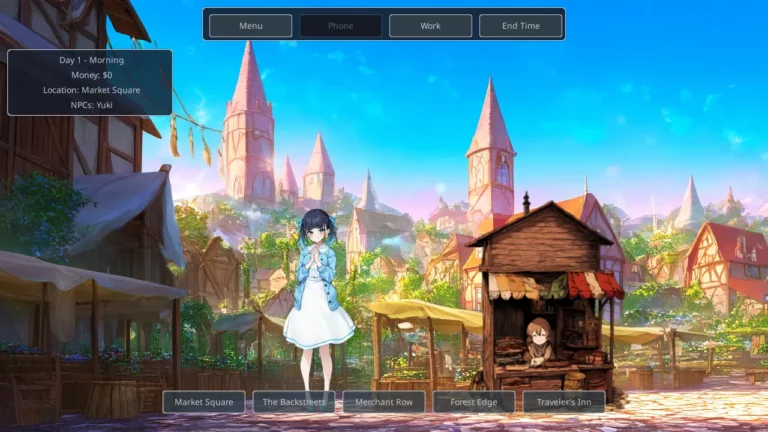
Millhaven is an adult interactive game set in a village caught between cyber-enhanced merchants and tribal warrior clans.
Manage your time, build relationships, and deal with rivals who have their own plans. Every choice matters — protect what you have, or watch it slip away.
Windows: Extract and run Millhaven.exe
Linux: Extract, chmod +x Millhaven, and run ./Millhaven
Linux: Extract, chmod +x Millhaven, and run ./Millhaven
No patch notes available.
- Dual Core Pentium or equivalent Processor.
- Intel HD 2000 or equivalent Graphics.
- 3.08 GB of free disk space (Recommended to have twice as much free disk space).
Millhaven - Ongoing - v.0.6.3 Download Links
Millhaven is a porn game made on Others game engine.
The current available version is v.0.6.3.
The contents of the game are Uncensored. Millhaven is developed by Suckulent Games.
Please support the developer if you want continued development.
Download links are gathered from public sources. We do not host or modify contents.
Walkthrough and Guide
Save Editor: FILEKNOT
How to use Save Editor:
1) Double-click MillhavenSaveEditor.exe
2) Wait about 5 seconds (the game will launch silently in the background and the editor will be integrated—the game window may flicker, this is normal)
3) In the window that opens, select Slot and Kind (manual/auto), and click Load
4) Edit the desired values (money, relationships, skills, anything from JSON) directly in the text field
5) Click Save—"Saved successfully" will appear
How to use Save Editor:
1) Double-click MillhavenSaveEditor.exe
2) Wait about 5 seconds (the game will launch silently in the background and the editor will be integrated—the game window may flicker, this is normal)
3) In the window that opens, select Slot and Kind (manual/auto), and click Load
4) Edit the desired values (money, relationships, skills, anything from JSON) directly in the text field
5) Click Save—"Saved successfully" will appear