Unreal Engine Ongoing 3D GameAdventureAnimatedBig AssBig TitsCharacter CreationCombatCreampieExhibitionismFantasyFemale ProtagonistFurryFuta/Trans ProtagonistFuta/transGayGraphic ViolenceGroup SexHandjobIncestInternal ViewInterracialLesbianMale ProtagonistMasturbationMonsterMonster GirlMultiple protagonistOral SexPregnancyProstitutionReligionSandboxSlaveTentaclesTransformationVaginal SexVoicedVore Windows
Carnal Instinct
Ongoing v.0.7.8 HotFix
- Developer
- Team Carnal Instinct
- Release Date
- 14 June, 2026
- Engine
- Unreal Engine
- Censorship
- Uncensored
- Size
- 6.37 GB
- Version
- 0.7.8 HotFix
Screenshots

Genres
3D Game Adventure Animated Big Ass Big Tits Character Creation Combat Creampie Exhibitionism Fantasy Female Protagonist Furry Futa/Trans Protagonist Futa/trans Gay Graphic Violence Group Sex Handjob Incest Internal View Interracial Lesbian Male Protagonist Masturbation Monster Monster Girl Multiple protagonist Oral Sex Pregnancy Prostitution Religion Sandbox Slave Tentacles Transformation Vaginal Sex Voiced Vore
Game Description
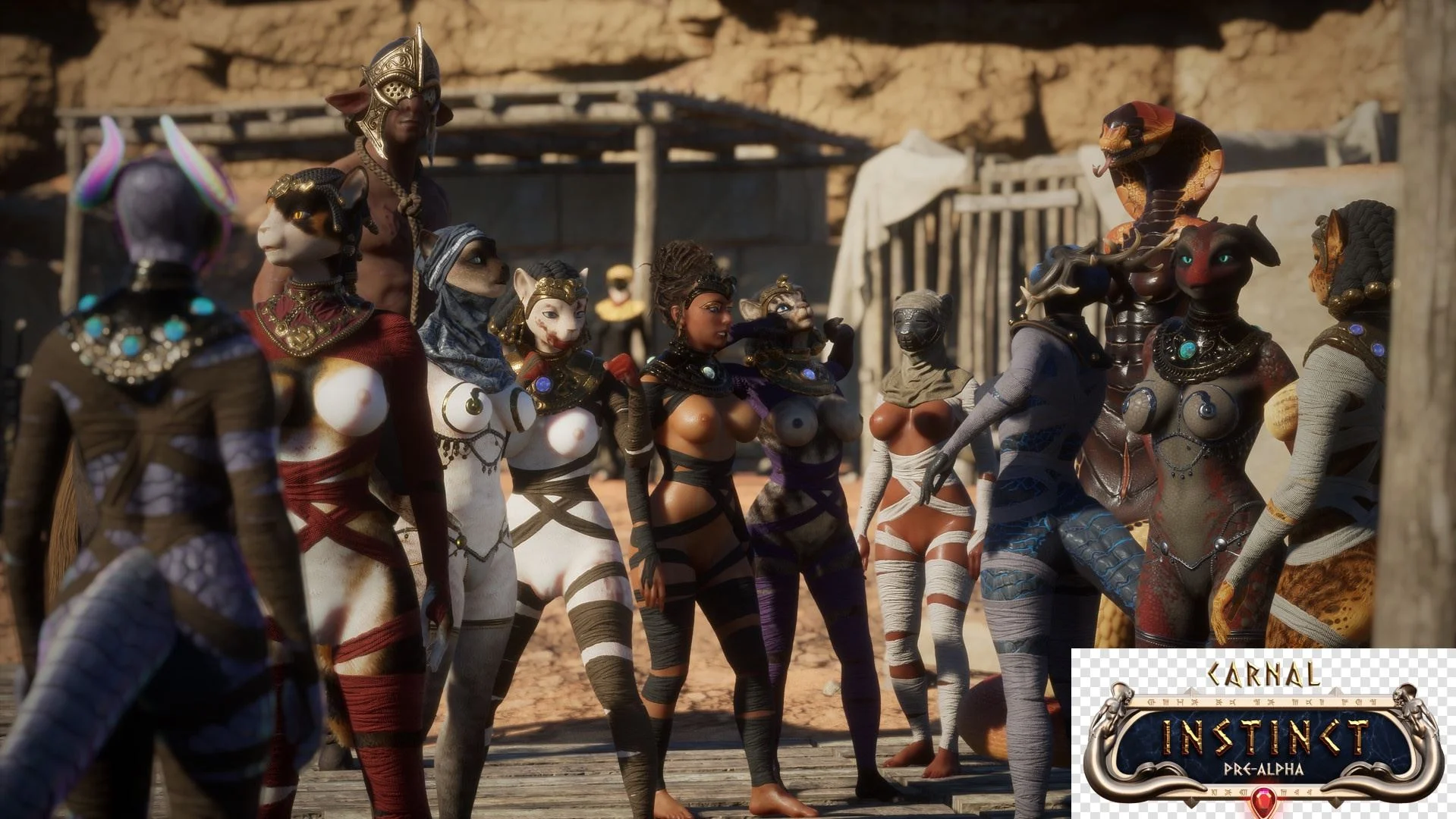
Our journey begins in a realm of ancient myth, where the life-giving waters of the Euphoris river meet the sandswept ruins of Sabu. The God-Queen Kethra has not been seen for a thousand years, but rumors of her return are uttered in hushed tones throughout the sprawling villages along the shoreline of the once mighty waterway. Deprived of its divine empress, Sabu has fallen under the rule of eight demigods, powerful beings that once served Kethra as bodyguards. Unchecked, these immortals now vie for power as warlords, their conquest bathing Sabu with the blood of the innocent.
Free-roam 3D game inspired from ancient Egypt, with loads of furry
Extract and run.
No patch notes available.
- Dual Core Pentium or equivalent Processor.
- Intel HD 2000 or equivalent Graphics.
- 6.37 GB of free disk space (Recommended to have twice as much free disk space).
Carnal Instinct - Ongoing - v.0.7.8 HotFix Download Links
Carnal Instinct is a porn game made on Unreal Engine game engine.
The current available version is v.0.7.8 HotFix.
The contents of the game are Uncensored. Carnal Instinct is developed by Team Carnal Instinct.
Please support the developer if you want continued development.
Download links are gathered from public sources. We do not host or modify contents.
Walkthrough and Guide
Map
Furrypedia
Save: FILEKNOT
This Save File gives you:
1,000,000 Gold
1,000,000 Essence
1,000,000 Attributes
All you need to do is located the game saved files (AppData\Local\Carnal_Instinct_UE5\Saved\SaveGames)
Place the .rar content to the folder "Local\Carnal_Instinct_UE5\Saved\SaveGames" and when you lunch the game, make sure to load from Slot 5 (P.s when pasting the files it might ask you to replace the old saves, so please make a backup of the old saves if you need them).
With this save file, you start from the beginning, and you have enough Attribute points to max your character skills.
Enjoy it <3
Old Cheat Table: FILEKNOT
New Cheat Table: FILEKNOT
How do I get a copy of Cheat Engine:
There are several ways to download the tool:
NB: Cheat Engine is available on Windows and MacOS only.
NB: Make sure you have the LATEST or at least a penultimate version of CE when using others' cheat tables to avoid incompatibility issues
How does Cheat Engine work:
It's basically a debugging tool on steroids. There's a lot to unpack on how it works, but my scripts rely on AOB signatures (be they hardcoded ASM cheats, pointers with offsets, etc) and LUA scripting. The challenge is to create consistent and resilient cheats working between versions, but there's nothing permanent with compilers and optimizations.
AOB signatures work like this: a byte signature is scanned to find the first match in the .text (code) section, then CE gracefully injects a detour jump to the allocated cheat script (or in a code cave) that tweaks the game behavior and then returns to the next instruction after the injection. Sometimes AOB-based cheat scripts modify a function's behavior in-place.
Lua scripts that are running in the CE's lua engine are basically meta-scripts to extend CE's functionality with a neat API.
Where do I put a cheat table / .CT file:
Wherever you deem suitable, usually tables are standalone .CT files and making dependencies for them isn't a good practice. When you run a cheat table, it's loaded into and interpreted by Cheat Engine.
How to use Cheat Engine:
First of all, make sure your Cheat Engine instance is running with administrator rights to make sure it is able to read, write to memory properly. To do that, you can grant administrator rights by clicking RMB on Cheat Engine shortcut (to open its context menu), then go to Properties -> Compatibility (tab) and tick 'Run this program as an administrator'. Likewise, you can go to CE settings (when in the CE GUI, Edit->Settings) you can also find 'Always attempt to launch as admin' option. Or if you need it once, just run CE as an administrator (RMB on the CE shortcut, 'Run as an administrator'
For cases when tables DON'T have an attach script in them:
When Cheat Engine is opened and/if a cheat table for a specific game is loaded into it, the first thing that's needed is to attach to the specific game executable.
Attach button is highlighted:
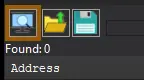
After pressing this button, you will see active processes with their PIDs exposed by Windows. If you struggle to find yours, check other tabs, there are 3 of them: Application, Processes, Windows.
For cases when tables DO have an attach script in them:
You'll see a script like *this*, just activate the checkbox. Does it fail to attach? Please read 'Why does the attach script fails when I activate it?' below
Attach script:

Once you are attached, activate other scripts that you need and have fun. Usually scripts are quite simple to use, but if there are instructions, just follow them to make it work. Sometimes certain actions are required for scripts to work properly, .e.g pressing a button to catch a pointer, loading into the game/level world to ensure a character actor is constructed, etc.
Sometimes scripts will fail to be executed. Usually the error will be written in the context menu of a script that's failed (just click RMB on the failed script, the first row will be the error message). Some scripts may print errors/tracebacks into the CE Lua Engine output window: either way, when you report an error, provide the reason WHY it fails.
Error Example: AOB not found:

If a script activates, but the intended behavior is not achieved (you'd be lucky if it doesn't crash though), most probably there was a game update that touched offsets (provided the table was based on any, which is probably the case) - a new field added, hence game compiled differently, a different game engine version used, or whatever that caused the shift. That means the table has to be updated - it's obvious if the game was updated recently, but the table was posted long before.
ALSO: go to 'OK, I'm attached to the game correctly, but next scripts fail to run OR crash the game. What's wrong?'
Furrypedia
Save: FILEKNOT
This Save File gives you:
1,000,000 Gold
1,000,000 Essence
1,000,000 Attributes
All you need to do is located the game saved files (AppData\Local\Carnal_Instinct_UE5\Saved\SaveGames)
Place the .rar content to the folder "Local\Carnal_Instinct_UE5\Saved\SaveGames" and when you lunch the game, make sure to load from Slot 5 (P.s when pasting the files it might ask you to replace the old saves, so please make a backup of the old saves if you need them).
With this save file, you start from the beginning, and you have enough Attribute points to max your character skills.
Enjoy it <3
Old Cheat Table: FILEKNOT
New Cheat Table: FILEKNOT
How do I get a copy of Cheat Engine:
There are several ways to download the tool:
- Official Cheat Engine website - a free, compiled executable. While installing, make sure you decline all adware
- Dark Byte's Patreon - $2.5/mo membership to get the latest releases and hotfixes already compiled
- Cheat Engine Github - if you want to compile it or CE github releases
NB: Cheat Engine is available on Windows and MacOS only.
NB: Make sure you have the LATEST or at least a penultimate version of CE when using others' cheat tables to avoid incompatibility issues
How does Cheat Engine work:
It's basically a debugging tool on steroids. There's a lot to unpack on how it works, but my scripts rely on AOB signatures (be they hardcoded ASM cheats, pointers with offsets, etc) and LUA scripting. The challenge is to create consistent and resilient cheats working between versions, but there's nothing permanent with compilers and optimizations.
AOB signatures work like this: a byte signature is scanned to find the first match in the .text (code) section, then CE gracefully injects a detour jump to the allocated cheat script (or in a code cave) that tweaks the game behavior and then returns to the next instruction after the injection. Sometimes AOB-based cheat scripts modify a function's behavior in-place.
Lua scripts that are running in the CE's lua engine are basically meta-scripts to extend CE's functionality with a neat API.
Where do I put a cheat table / .CT file:
Wherever you deem suitable, usually tables are standalone .CT files and making dependencies for them isn't a good practice. When you run a cheat table, it's loaded into and interpreted by Cheat Engine.
How to use Cheat Engine:
First of all, make sure your Cheat Engine instance is running with administrator rights to make sure it is able to read, write to memory properly. To do that, you can grant administrator rights by clicking RMB on Cheat Engine shortcut (to open its context menu), then go to Properties -> Compatibility (tab) and tick 'Run this program as an administrator'. Likewise, you can go to CE settings (when in the CE GUI, Edit->Settings) you can also find 'Always attempt to launch as admin' option. Or if you need it once, just run CE as an administrator (RMB on the CE shortcut, 'Run as an administrator'
For cases when tables DON'T have an attach script in them:
When Cheat Engine is opened and/if a cheat table for a specific game is loaded into it, the first thing that's needed is to attach to the specific game executable.
Attach button is highlighted:
After pressing this button, you will see active processes with their PIDs exposed by Windows. If you struggle to find yours, check other tabs, there are 3 of them: Application, Processes, Windows.
For cases when tables DO have an attach script in them:
You'll see a script like *this*, just activate the checkbox. Does it fail to attach? Please read 'Why does the attach script fails when I activate it?' below
Attach script:
Once you are attached, activate other scripts that you need and have fun. Usually scripts are quite simple to use, but if there are instructions, just follow them to make it work. Sometimes certain actions are required for scripts to work properly, .e.g pressing a button to catch a pointer, loading into the game/level world to ensure a character actor is constructed, etc.
Sometimes scripts will fail to be executed. Usually the error will be written in the context menu of a script that's failed (just click RMB on the failed script, the first row will be the error message). Some scripts may print errors/tracebacks into the CE Lua Engine output window: either way, when you report an error, provide the reason WHY it fails.
Error Example: AOB not found:
If a script activates, but the intended behavior is not achieved (you'd be lucky if it doesn't crash though), most probably there was a game update that touched offsets (provided the table was based on any, which is probably the case) - a new field added, hence game compiled differently, a different game engine version used, or whatever that caused the shift. That means the table has to be updated - it's obvious if the game was updated recently, but the table was posted long before.
ALSO: go to 'OK, I'm attached to the game correctly, but next scripts fail to run OR crash the game. What's wrong?'